
Telemetry
Compare your iRacing laps and find where you lose time
Upload your laps from the Endurance Manager desktop app and compare them on the web. The corners are ranked by priority, so you start with the one where you can gain the most time.
Sign up freeFree to start. Some parts need PRO.
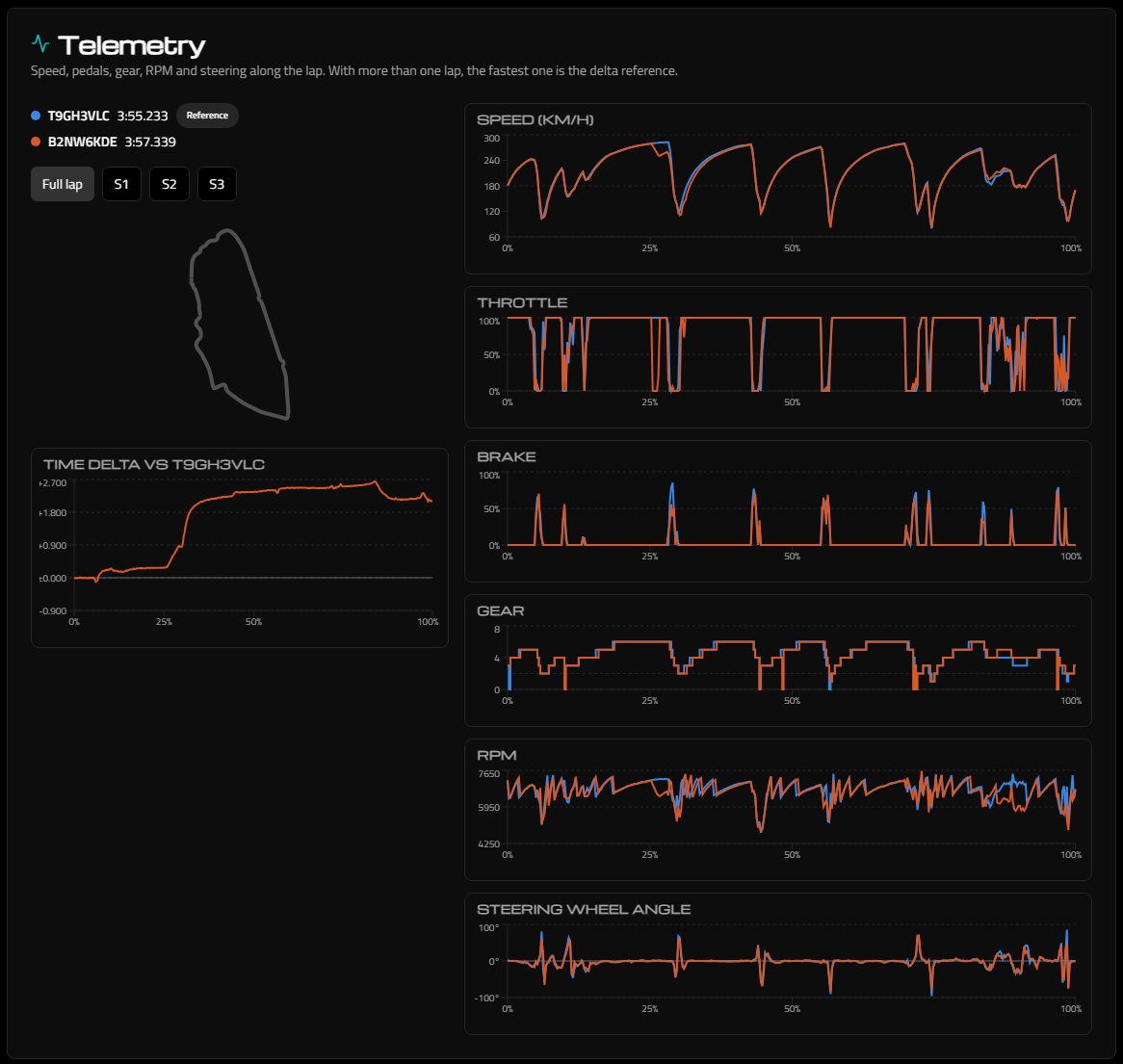
Lap against lap
- Speed, throttle, brake, gear, RPM and steering angle of every lap on the same chart.
- Time delta against the fastest lap, along the whole lap or by sector.
- Corners ranked by priority: the most important corner is the one before the longest acceleration zone.
- Grip and balance: how much of the available grip you use, and an estimate of the load on each wheel.
- A replay of both laps at 1x down to 1/16x speed, with the steering wheel and pedals.
Your laps, your team's laps
Any driver can compare their own laps. In a PRO team, the Telemetry tab of an event compares you with your teammates and with the best lap of the event.
Frequently asked questions
- How do I record my laps?
- Open My laps in the Endurance Manager desktop app while you drive in iRacing and upload the laps you want to analyse.
- Can other people see my laps?
- Your laps are listed only for you. In a PRO team, your teammates can compare against them inside the team's events, and a Matt Performance coach sees them only if you connect your account there.
Plan your next endurance race
Free for one team of up to four drivers. Upgrade to PRO when you need more.
More features
- Stint PlannerPlan every stint of an iRacing endurance race: driver rotation, laps and fuel per stint, Push or Saving strategy, each driver's local time and an incident log that keeps the schedule right.
- Fuel CalculatorFree iRacing fuel calculator: total laps, total fuel, pit stops, laps and fuel per stint, and how much to save per lap to stretch one more lap. Supports Virtual Energy.
- Online Race RadarFollow your iRacing endurance race from any device: every car on the circuit map, gaps to the leader and between cars, and incident alerts, live for the whole team.
- Reference Lap (Android app)The Endurance Manager Android app compares your live iRacing telemetry with a faster lap and tells you what to do in the next corner: braking point, brake pressure and speeds. iRacing stays in full screen.
- Race Calendar & Auto-AssignCollect driver availability before an iRacing endurance race, vote the best start time, create the event and let Endurance Manager distribute the stints fairly in one click.